Power Automate developer for the work nobody should do by hand.
I build Power Automate cloud flows that take repetitive work off your team: approvals that chase themselves, alerts that reach the right person, documents that file themselves and data that stays in sync between systems.

Power Automate
with Awokunle Winner
- Free 30-minute call to scope it
- Built inside your own Microsoft 365 tenant
- Remote, for clients in the US, Australia and worldwide
Sound familiar?
What I usually get called in to fix.
Approvals sit in someone's inbox for days and nobody knows where a request is.
Someone copies data from forms or emails into a spreadsheet every morning.
Important updates get lost because people rely on forwarding emails.
You built a flow yourself, it broke, and nobody knows how to fix it.
What I build
Power Automate work, done properly.
Approval workflows
Multi-stage approvals for leave, purchases, invoices and documents, with reminders, escalations and a clear audit trail.
Notifications and alerts
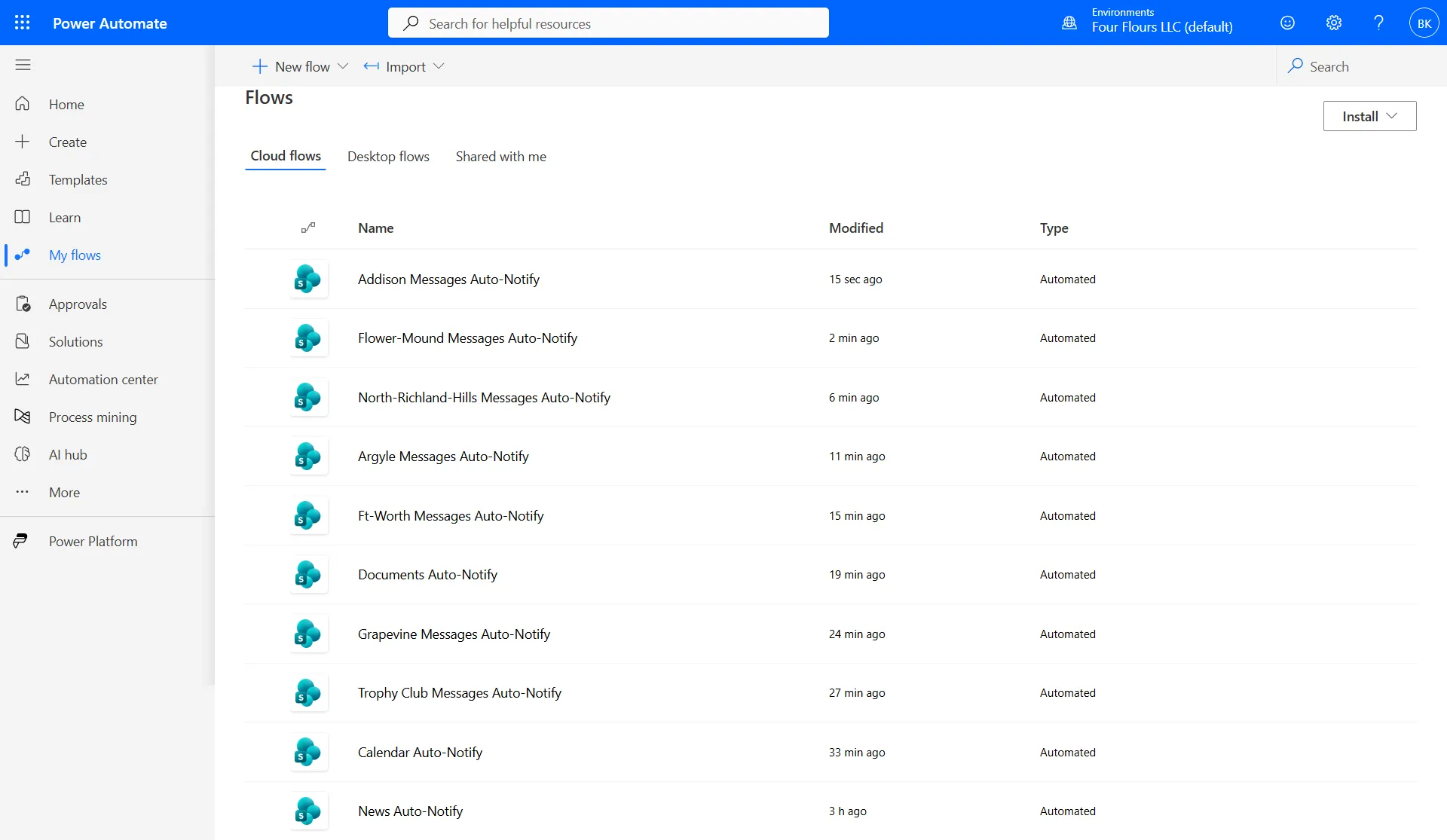
The right person hears about it in Teams or email the moment something changes in SharePoint, Forms or a list.
Document routing
Files land in the right library, get renamed, tagged and shared automatically.
Scheduled reports
Daily or weekly summaries pulled from lists and sent to managers without anyone compiling them.
Data sync
Keep SharePoint, Excel, Dataverse and other systems in step through standard and premium connectors.
Flow rescue
Fixing failing or fragile flows, adding error handling and documenting how they work.
Real client work
Built for clients like you.
FAQ
Power Automate questions.
Free guides
How to Build an Approval Workflow in Power AutomatePower Automate Flow Not Triggering? 9 Things to CheckPower Automate Approval Email Not Received? How to Fix ItPower Automate Get Items Only Returns 100 Items: How to Get All of ThemHow to Send Email from a Shared Mailbox in Power AutomateIs Power Automate included in Microsoft 365?
Most Microsoft 365 business plans let you build flows with standard connectors such as SharePoint, Outlook, Teams and Forms. Premium connectors and some features need a Power Automate licence, and I'll tell you before we start if your flow needs one.
How quickly can you build a flow?
A single automation such as an approval or a notification is often done in one to three days, including testing with your real data.
Who owns the flows?
You do. Flows are built in your own tenant, ideally under a service account so they keep running when people leave.
Can you fix flows someone else built?
Yes. I review the run history, find what's failing, fix it and add error handling so you hear about problems before your users do.
Other services


 Awokunle Winner · replies within a day
Let's talk about your Power Automate project.
Thirty minutes, no cost, no pitch deck. You'll leave knowing exactly what to build and what it should cost.