Power Apps developer for apps that replace the spreadsheet.
I build Power Apps that turn messy spreadsheets, paper forms and email chains into simple apps your team can use on desktop and phone, connected to the data you already keep in Microsoft 365.

Power Apps
with Awokunle Winner
- Free 30-minute call to scope it
- Built inside your own Microsoft 365 tenant
- Remote, for clients in the US, Australia and worldwide
Sound familiar?
What I usually get called in to fix.
A critical process runs on one spreadsheet that only one person understands.
Field staff fill in paper forms that someone retypes later.
Requests arrive by email in every format imaginable.
Off-the-shelf software is too expensive or doesn't fit how you work.
What I build
Power Apps work, done properly.
Canvas apps
Pixel-friendly apps for desktop, tablet and phone, built around exactly how your team works.
Model-driven apps
Data-heavy apps on Dataverse with forms, views, business rules and security roles.
Request and approval apps
Intake forms with validation that feed straight into Power Automate approvals.
Inspection and field apps
Checklists, photos and signatures captured on site, synced back to SharePoint.
Trackers and registers
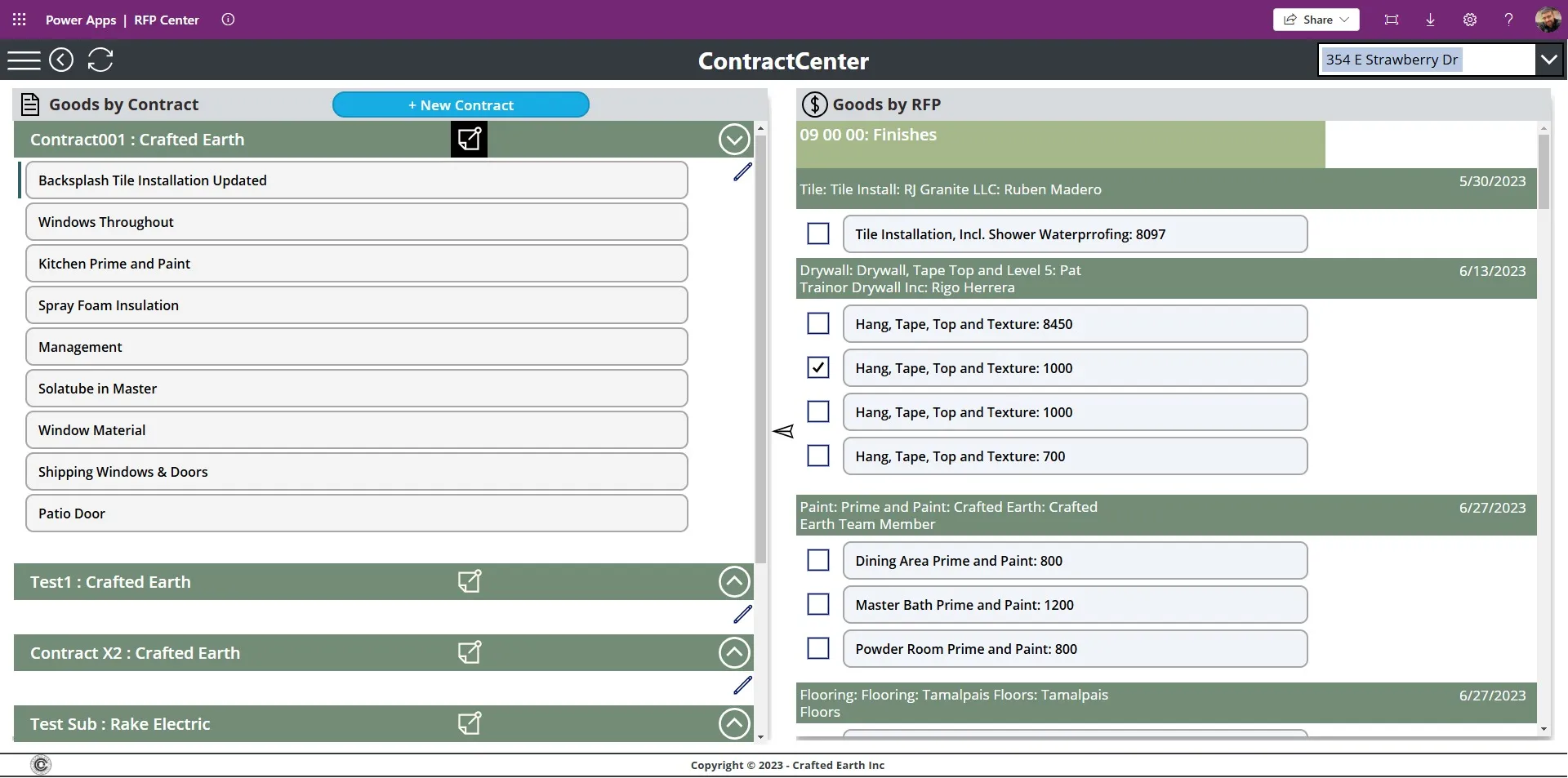
Contracts, assets, bids and inventory with search, filters and automatic totals.
Connected data
Apps built on SharePoint lists, Dataverse, SQL Server or external APIs.
Real client work
Built for clients like you.
FAQ
Power Apps questions.
Do my staff need Power Apps licences?
Canvas apps that use standard connectors such as SharePoint are covered by most Microsoft 365 business plans. Apps using Dataverse or premium connectors need Power Apps licences. I'll recommend the cheapest setup that does the job.
Canvas app or model-driven app?
Canvas apps suit task-focused tools and mobile use. Model-driven apps suit data-heavy processes with lots of related records. On the call we'll work out which fits.
Can the app work on phones?
Yes. Power Apps run in the Power Apps mobile app on iOS and Android, in a browser, and inside Microsoft Teams.
What happens after launch?
You get a handover with plain-English notes, and I'm available for changes and new features as your process evolves.
Other services


 Awokunle Winner · replies within a day
Let's talk about your Power Apps project.
Thirty minutes, no cost, no pitch deck. You'll leave knowing exactly what to build and what it should cost.